🦸 Become A VS Code SuperHero Today: https://vsCodeHero.com
🧑🏾🤝🧑🏽 Join my Discord developer community: https://discord.gg/A9CnsVzzkZ
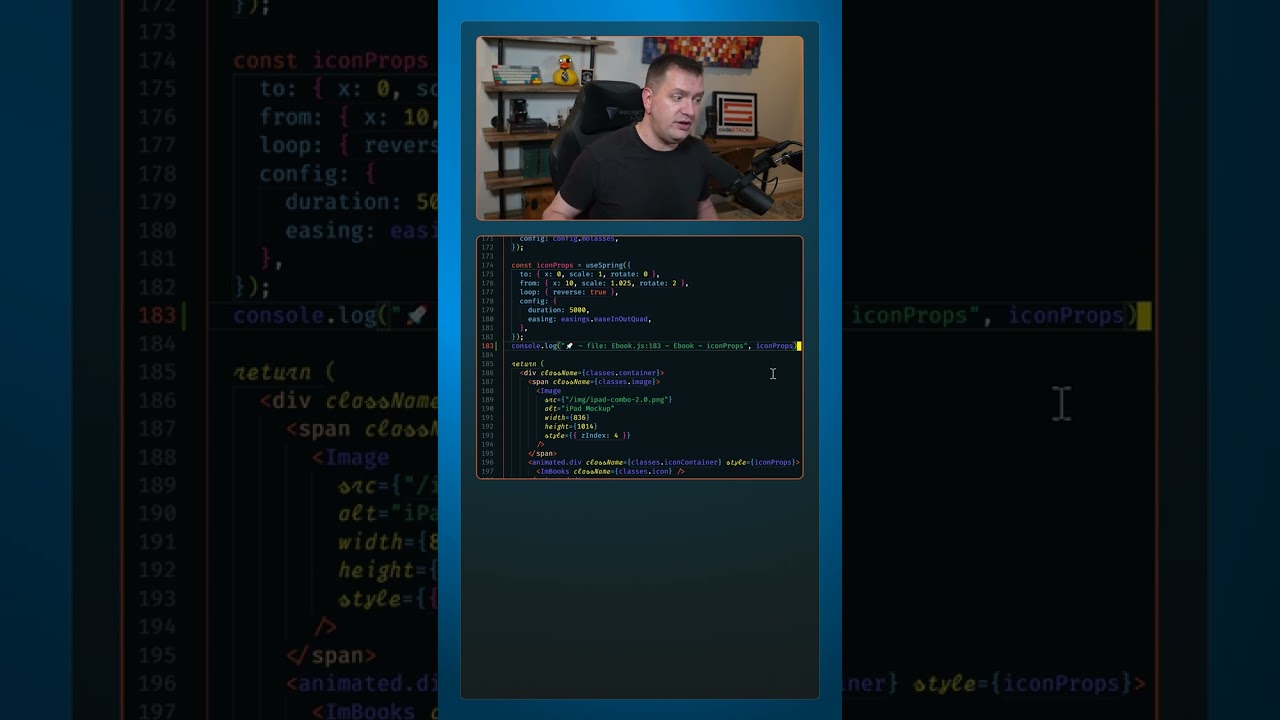
Even though console log may not always be the best way to debug JavaScript, we all use it.
So install the Turbo Console Log extension in VS Code to turbo charge your logs.

Select any variable that you want to log, press CTRL+Alt+L (for log) and it will automatically add the log for you.
Not only does it add a log, but it adds to it the file, variable name, and the variable value to make them easy to find in the console.
You can customize what’s included in each log in the settings.
But that’s not even the best feature of this extension.
You can press ALT+Shift+C to comment all log messages in a file.
ALT+Shift+U to uncomment all logs in a file.
And when you’re done debugging, press ALT+Shift+D to delete all logs in the file so no one will ever know you were using console logs to debug!
_____________________________________
🛠️ Tools I use:
🟠 codeSTACKr Theme: https://marketplace.visualstudio.com/items?itemName=codestackr.codestackr-theme
🟠 STACKr Code Font (Exclusive to my VS Code Course – https://vsCodeHero.com)
🟠 SuperHero Extension Pack: https://marketplace.visualstudio.com/items?itemName=codeSTACKr.superhero-extensions
_____________________________________
💖 Show support!
PayPal: https://paypal.me/codeSTACKr
_____________________________________
👀 Watch Next:
Playlist: Web Development For Beginners – https://www.youtube.com/watch?v=Ez4yHS2dsN8&list=PLkwxH9e_vrAJ0WbEsFA9W3I1W-g_BTsbt
_____________________________________
🌐 Connect With Me:
Website: https://www.codestackr.com
Twitter: https://twitter.com/codeSTACKr
Instagram: https://instagram.com/codeSTACKr
Facebook: https://facebook.com/codeSTACKr
_____________________________________
** Affiliate Disclaimer: Some of the above links may be affiliate links, which may generate me a sales commission at no additional cost to you.
#codeSTACKr #vscode #learntocode
source